Upload an image or enter a prompt, then generate to create your result.
Main Image
Image to transform
Reference Image (Optional)
Optional style reference
Aspect Ratio
Prompt
AI image-to-image: transform photos into art, change styles, morph images. Preserve structure while creating stunning variations. Try free!
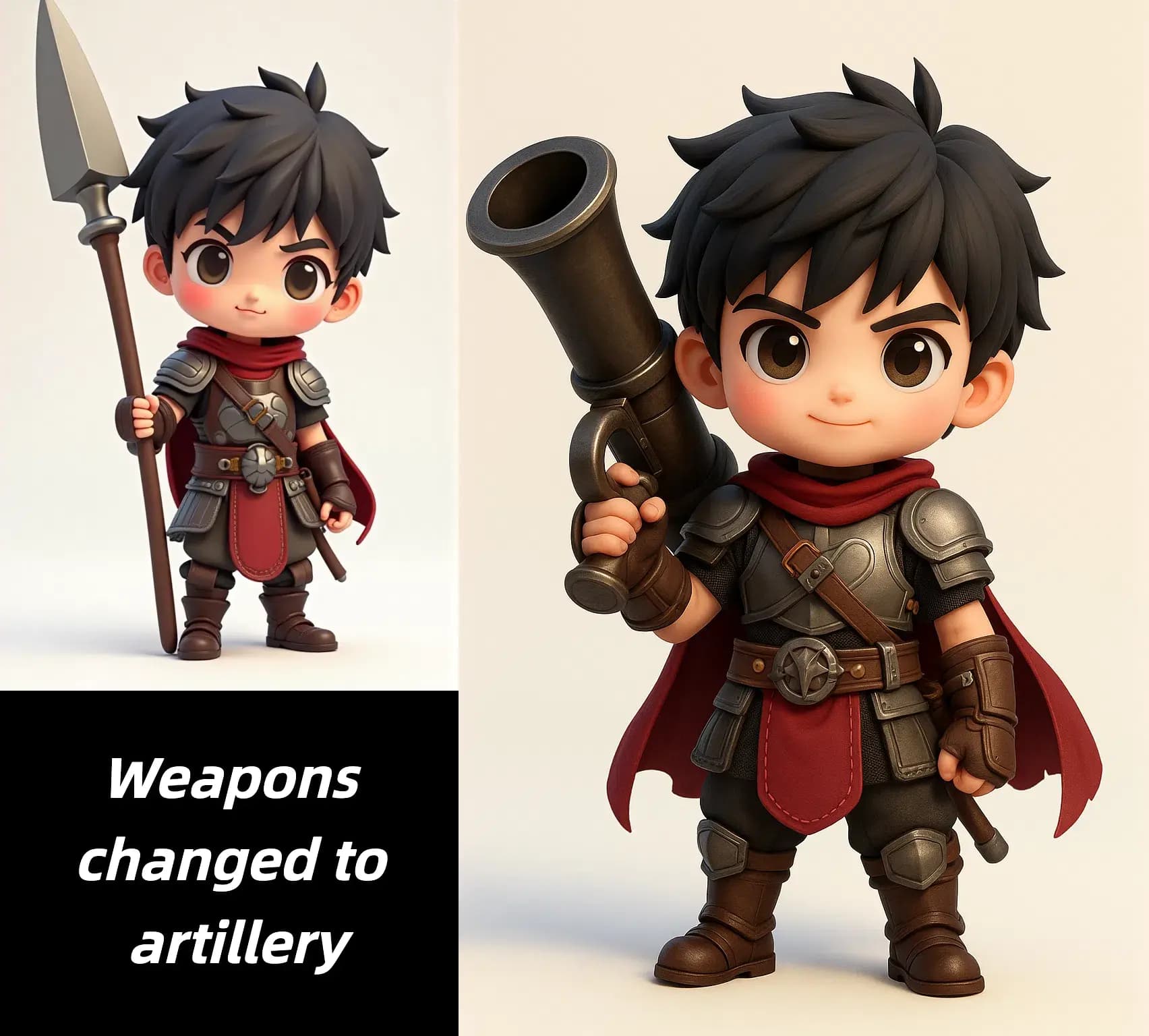
GenImage helps you transform a reference photo into polished alternatives without starting from scratch. It is a practical way to explore new looks while keeping the original image useful.
Start with a real image, not a blank canvas. GenImage preserves framing, subject placement, and overall composition so you can evolve the look without losing the foundation.
Turn one approved photo into multiple visual treatments for ads, product pages, mood boards, editorial concepts, and social campaigns in a fraction of the usual time.
Use prompt-based transformation to create cleaner, bolder, more seasonal, or more brand-aligned versions of the same scene without a full reshoot.
Built for controlled visual experimentation, faster approvals, and reusable source images across creative workflows.
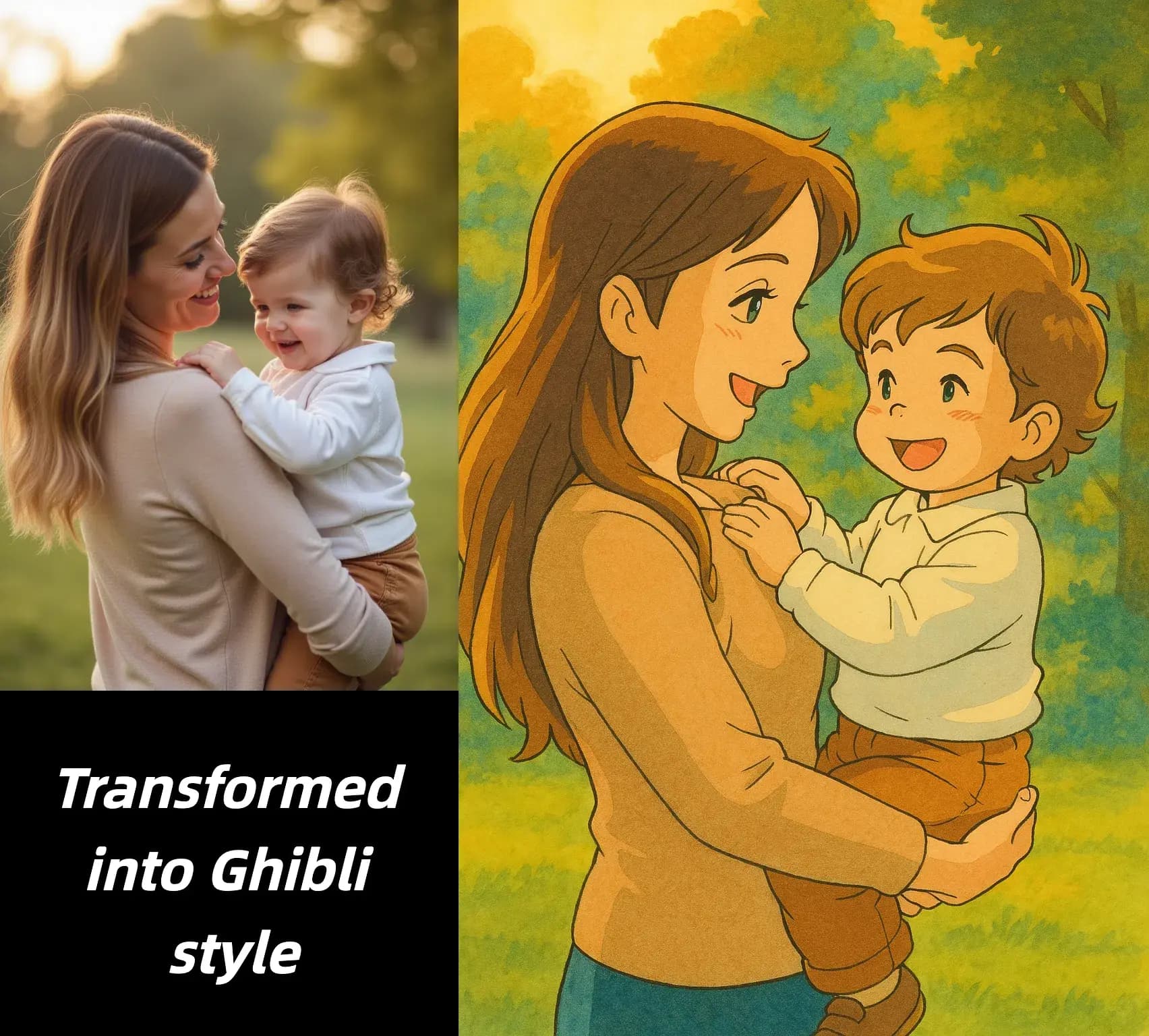
Answers about using GenImage.org for controlled image-to-image generation
Start from an existing photo and turn it into new visual versions in three quick steps.
Choose the photo, render, mockup, or artwork you want to transform. A clear source image gives GenImage the best foundation for accurate results.
Explain the new style, background, lighting, or creative direction you want while noting which parts should stay consistent.
Review the new versions, iterate if needed, and download the result that fits your campaign, design concept, or content plan.
Everything you need to transform reference images while keeping output quality high and workflows efficient.
Use an existing photo, mockup, or illustration as the starting point so the AI can build on real composition instead of guessing from text alone.
Guide the result with clear instructions for style, atmosphere, material, lighting, background, or artistic direction while keeping the source recognizable.
Keep important visual anchors like subject placement, pose, product silhouette, or scene structure more stable across variations.
Create multiple options quickly for internal review, A/B testing, creative exploration, or client approval without waiting on new photography.
Export polished results that are ready for social media, websites, presentations, product pages, and broader commercial design workflows.
GenImage.org fits real production needs, from campaign ideation and product merchandising to branded content refreshes and creative experimentation.
Teams use GenImage.org to explore visual directions without rebuilding every shot from zero.
GenImage helps me turn a single reference into multiple campaign looks without recreating the same composition over and over. It is now part of every concept review.

Jessica Martinez
Brand Designer
We reuse one approved product shot and test different moods, colors, and seasonal directions before committing to final creative. That saves us a lot of production time.

Michael Chen
Product Marketer
Image to image AI is the fastest way for our team to compare visual directions while keeping the hero subject consistent across landing pages and paid ads.

Sophia Anderson
Creative Strategist
I can turn one photo into several thumbnail or post concepts in minutes. The workflow is simple, and the results are much easier to refine than starting from scratch.

Alex Thompson
Content Creator
For launches and seasonal promos, GenImage lets us update existing assets instead of planning another shoot. It is especially useful when the product angle is already approved.

Emma Williams
E-commerce Consultant
The biggest win is consistency. Our team can generate alternatives from the same base image and keep reviews focused on style and message instead of composition changes.

Robert Johnson
Design Operations Lead
Use GenImage.org to explore styles, concepts, and campaign ideas from a single source image. Start free and move from reference to finished visual faster.