Upload an image or enter a prompt, then generate to create your result.
Change photo backgrounds instantly with AI. Replace any scene with realistic lighting, shadows & perspective. Free background changer tool online.
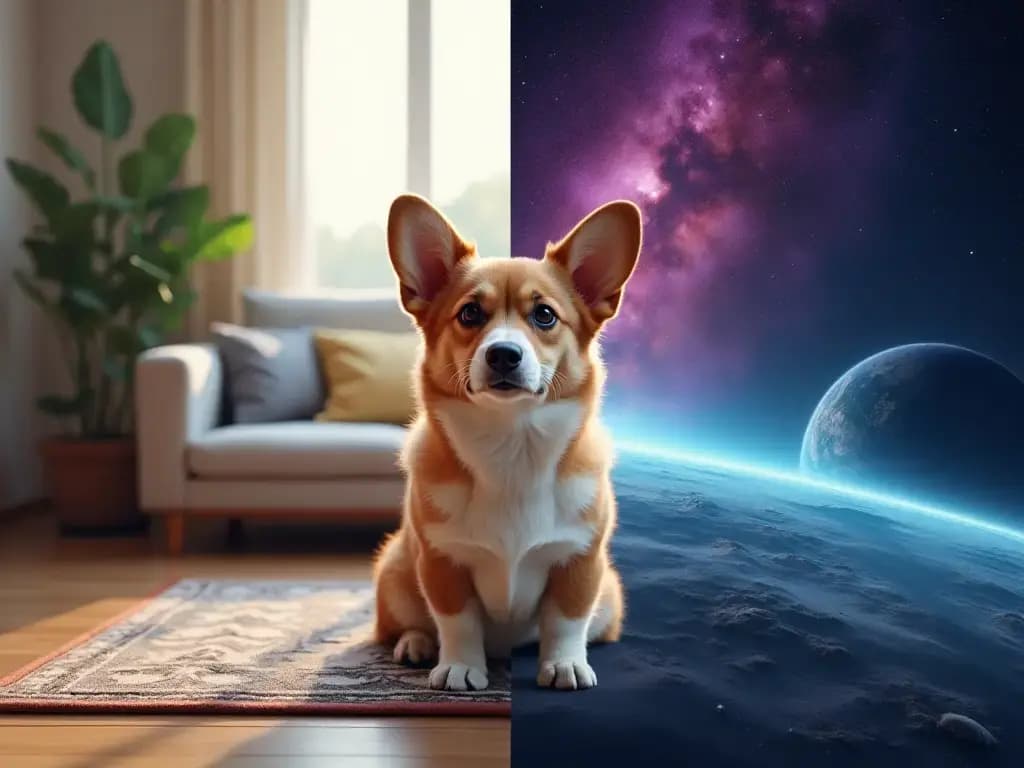
GenImage lets you keep the subject you already like while swapping the surrounding scene for something more aligned with your campaign, product story, or brand style.
Take one approved image and place it into a cleaner, more premium, more seasonal, or more campaign-specific environment in far less time than arranging a new shoot.
Background replacement is useful when you want the same person or product to stay recognizable while changing the context around it.
Use different scenes for storefronts, ads, blog headers, social content, and promotions while keeping the same core asset in circulation.
A practical workflow for prompt-based scene changes, creative testing, and more flexible content production.

Answers about replacing photo backgrounds with GenImage.org
Replace the scene around your subject in three simple steps with GenImage.
Start with a portrait, product image, or creator photo where the subject is clear and you want the surrounding environment to change.
Tell GenImage what kind of scene you want, such as a studio setup, lifestyle setting, seasonal backdrop, or branded environment.
Review the new background options, compare the most useful ones, and download the result that fits your campaign or content plan.
Everything you need to replace scenes, test creative directions, and reuse images across more campaigns.
GenImage separates the main subject and then helps you place it into a new visual environment that better supports the intended use.
Describe the new setting you want, from simple studio backdrops to lifestyle and seasonal scenes, and generate a more tailored result.
Use clear source images and focused prompts to create results that feel cleaner, more intentional, and more usable for real content production.
Create several background ideas quickly so you can compare scenes, optimize for different audiences, or prepare variations for each marketing channel.
GenImage background replacement is useful for ads, e-commerce visuals, creator content, landing pages, and broader brand storytelling workflows.
Download polished results that are ready for web publishing, presentations, social content, and other commercial creative needs.
GenImage.org helps brands and creators turn one approved image into several environment-ready versions.
GenImage helps us turn a single studio image into several merchandising scenes, which makes campaign planning much more flexible.

Sarah Mitchell
Product Photographer
We use background changes to test different visual contexts before a campaign locks. It is much faster than building every concept manually.

David Chen
Creative Director
Creating several scene variations from one photo is useful for channel-specific content. We can keep the subject consistent while tailoring the background to the platform.

Emily Rodriguez
Social Media Manager
For client previews, GenImage makes it easy to show different looks and settings without returning to a full editing workflow each time.

James Anderson
Portrait Photographer
We use cleaner, more relevant scenes to make visuals feel more polished and targeted. It is a practical way to improve presentation quickly.

Lisa Thompson
Real Estate Marketing Specialist
Background replacement gives us more mileage from approved assets. One image can support multiple campaigns, promos, and design formats with much less effort.

Marcus Johnson
Brand Designer
Use GenImage.org to replace distracting scenes with backgrounds that feel cleaner, more relevant, and more campaign-ready. Start free and build better image variations faster.