Prompt
Aspect Ratio
Upload an image or enter a prompt, then generate to create your result.
Generate stunning AI images from text instantly. Create artwork, illustrations, graphics in seconds. Professional quality. Try free now!
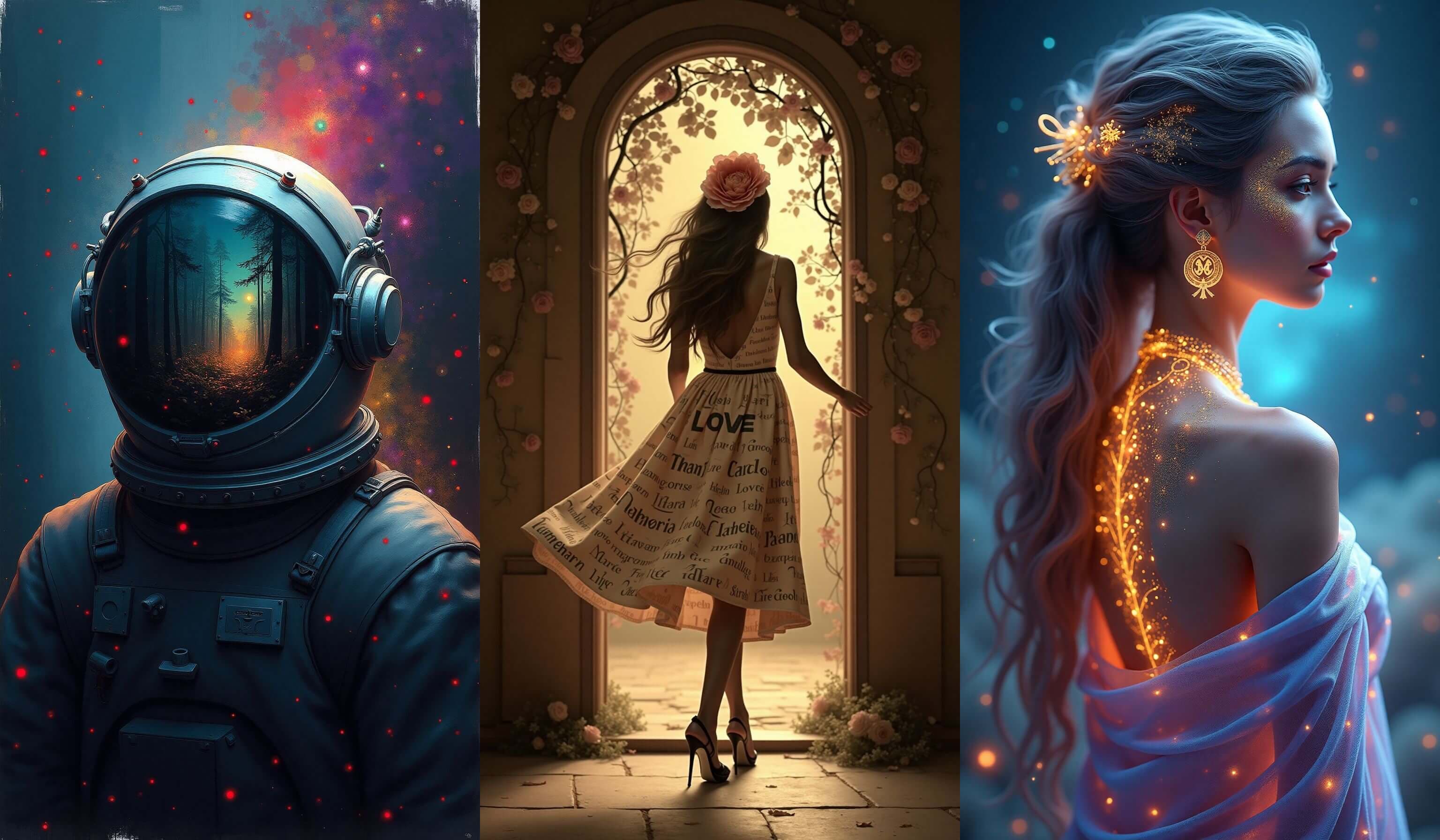
GenImage turns written ideas into visual drafts fast, which makes it useful for content teams, marketers, founders, designers, and creators who need original imagery on demand.
Describe the scene you want in natural language and let the AI turn it into a visual concept without a manual drawing or design workflow.
Generate illustrations, promotional images, product concepts, social graphics, and blog visuals that support your content calendar and campaign planning.
GenImage helps you validate concepts early so your team can react faster, brief creative work more clearly, and reduce time spent hunting for stock imagery.
Built for fast ideation, scalable content production, and cleaner creative handoffs.

Answers about creating original visuals with GenImage.org
Go from written concept to finished image quickly with a simple GenImage workflow.
Describe the image you want, including subject, style, mood, setting, and intended use if you want the AI to follow a more specific creative direction.
Let GenImage create original image variations from your prompt so you can review different directions and select the strongest one.
Use the image as-is or continue improving it with other GenImage tools to match your publishing, campaign, or design needs.
A practical text-to-image workflow for ideation, content creation, and scalable visual production.
Turn written ideas into original visuals by describing the subject, look, environment, and mood you want GenImage to generate.
Generate several image options for the same concept so you can compare styles, composition ideas, and campaign hooks before choosing a final direction.
Move from concept to image draft quickly, which is especially useful for ad production, social publishing, content calendars, and pitch decks.
Create polished visuals that can support websites, product stories, editorial content, promotional assets, and other commercial publishing needs.
Refine prompts, regenerate alternatives, and keep improving the result without switching between multiple complicated tools.
Take a generated image into editing, enhancement, background replacement, or upscaling for a more complete end-to-end creative workflow.
GenImage.org helps creators and marketers ship more visual content without slowing down on production.
GenImage gives us fast concept images for launches and paid campaigns. It helps us start with original visual ideas instead of defaulting to the same stock assets.
Jessica Martinez
Growth Designer
We use it to mock up landing page visuals, ad concepts, and social creatives before we invest in full production. That makes our content process much faster.

Michael Chen
Startup Founder
The biggest value is speed. We can turn a campaign idea into usable image options the same day and move straight into review instead of waiting on a long creative queue.

Sophia Anderson
Content Marketing Lead
I use GenImage for thumbnail concepts, cover art directions, and promotional visuals. It gives me more room to test creative ideas before publishing.

Alex Thompson
YouTube Creator
For product storytelling and seasonal campaigns, AI image generation helps us create supporting visuals that match the brand without booking a separate shoot.

Emma Williams
E-commerce Brand Manager
It is a practical first-draft tool. We use GenImage to explore directions, present options to clients, and reduce the gap between brief and visual output.

Robert Johnson
Agency Creative Lead
Use GenImage.org to turn prompts into visuals for marketing, social media, product storytelling, and creative exploration. Start free and generate your first concepts in minutes.